My Budget Buddy
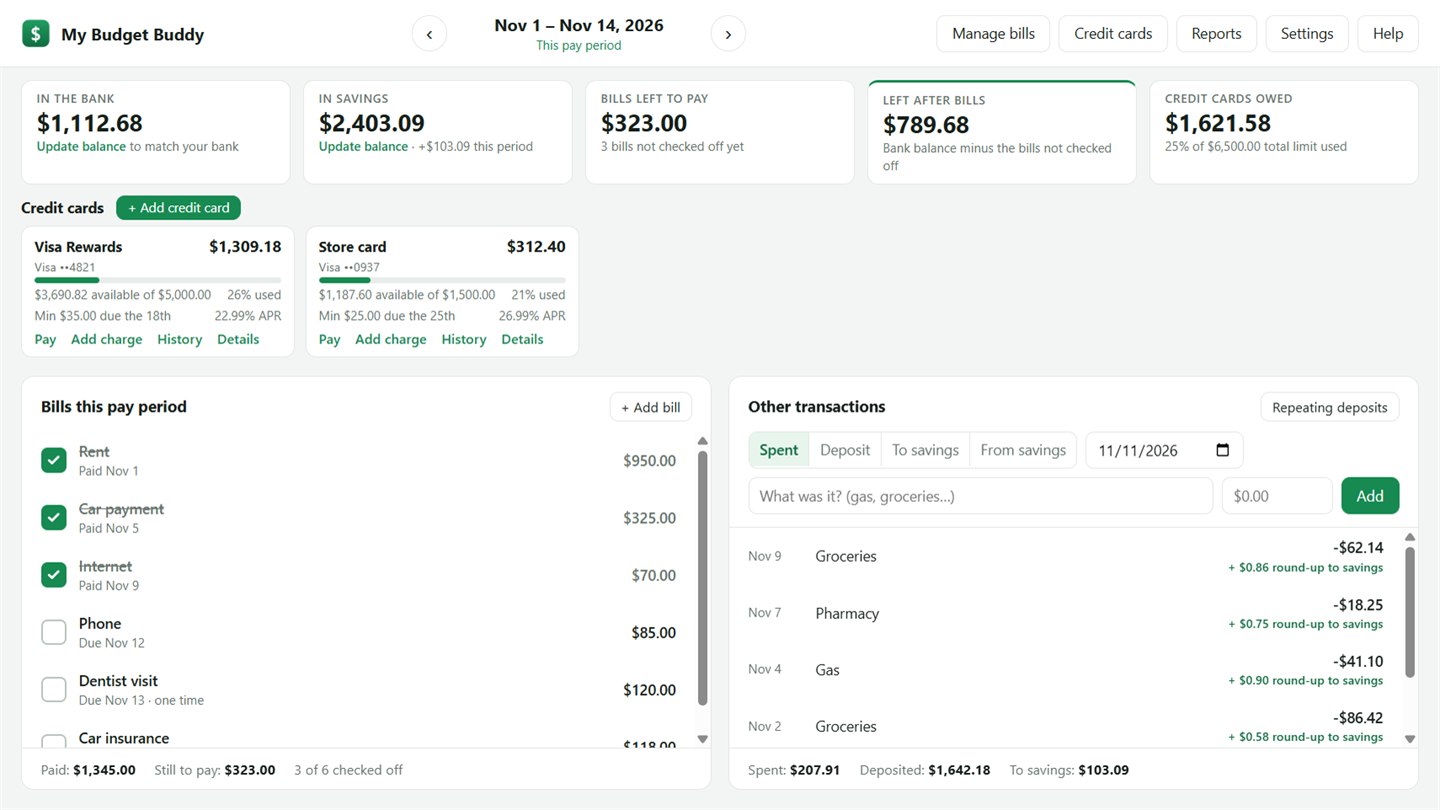
Know what's really left after the bills, every payday. Your bank balance, bills, credit cards and savings, one pay period at a time.

Pay off debt
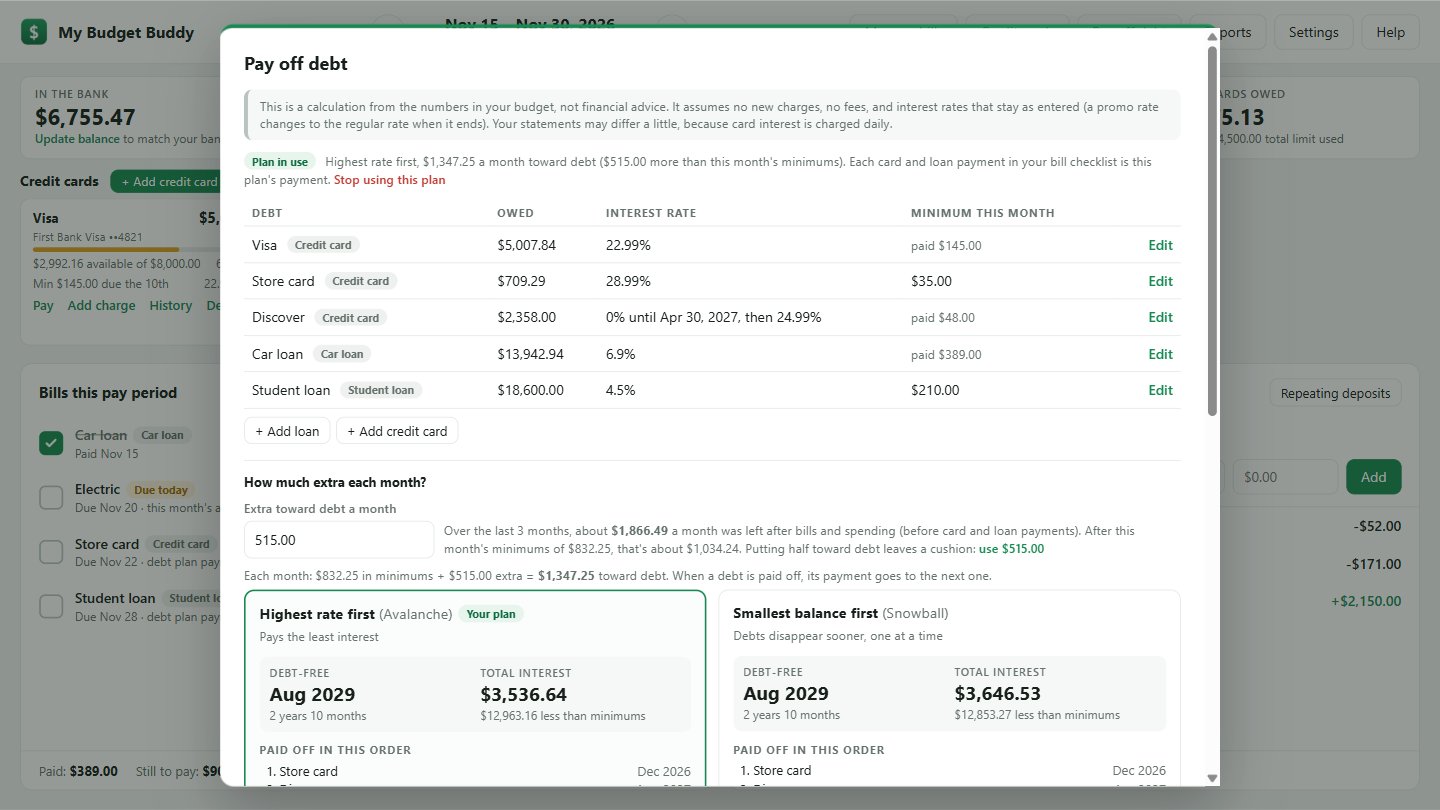
See how to get out of debt from the numbers already in your budget. Add your car, student and personal loans next to your credit cards, choose an extra amount to put toward debt each month, and compare the two most common ways to pay it off.
Loans next to your cards
Car, student, personal and mortgage loans with their balance, rate and payment. Each payment you check off lowers the balance.
Two ways, side by side
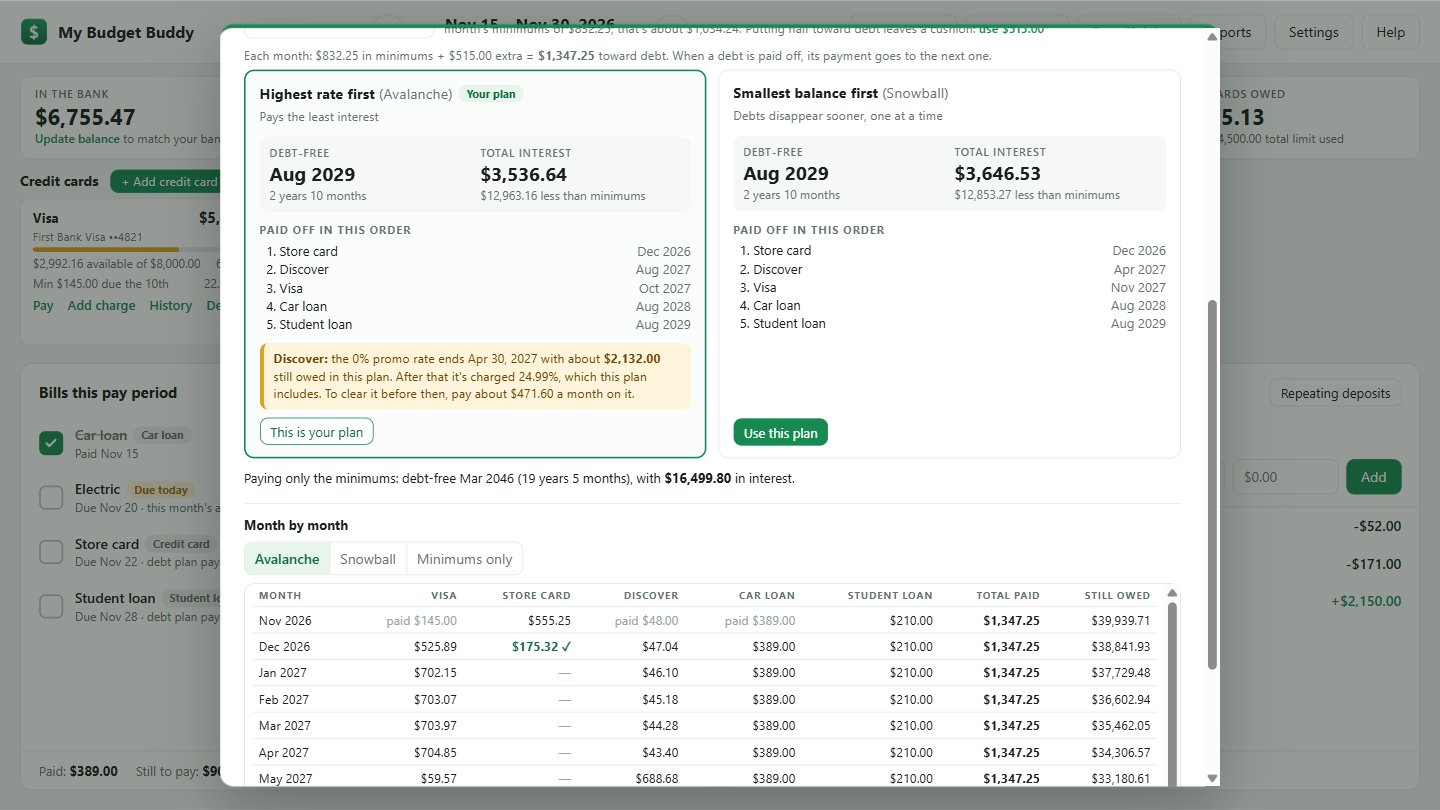
Highest rate first usually pays the least interest. Smallest balance first clears debts sooner, one at a time. See both, plus a month-by-month schedule you can print.
Promo rates flagged
If a 0% promo ends before a card is paid off, you see what would still be owed and what it would take to clear it in time.
The plan is a calculation from the balances, rates and payments you enter. It assumes no new charges and steady interest rates, and it isn't financial advice.
Built around your paycheck
One pay period at a time
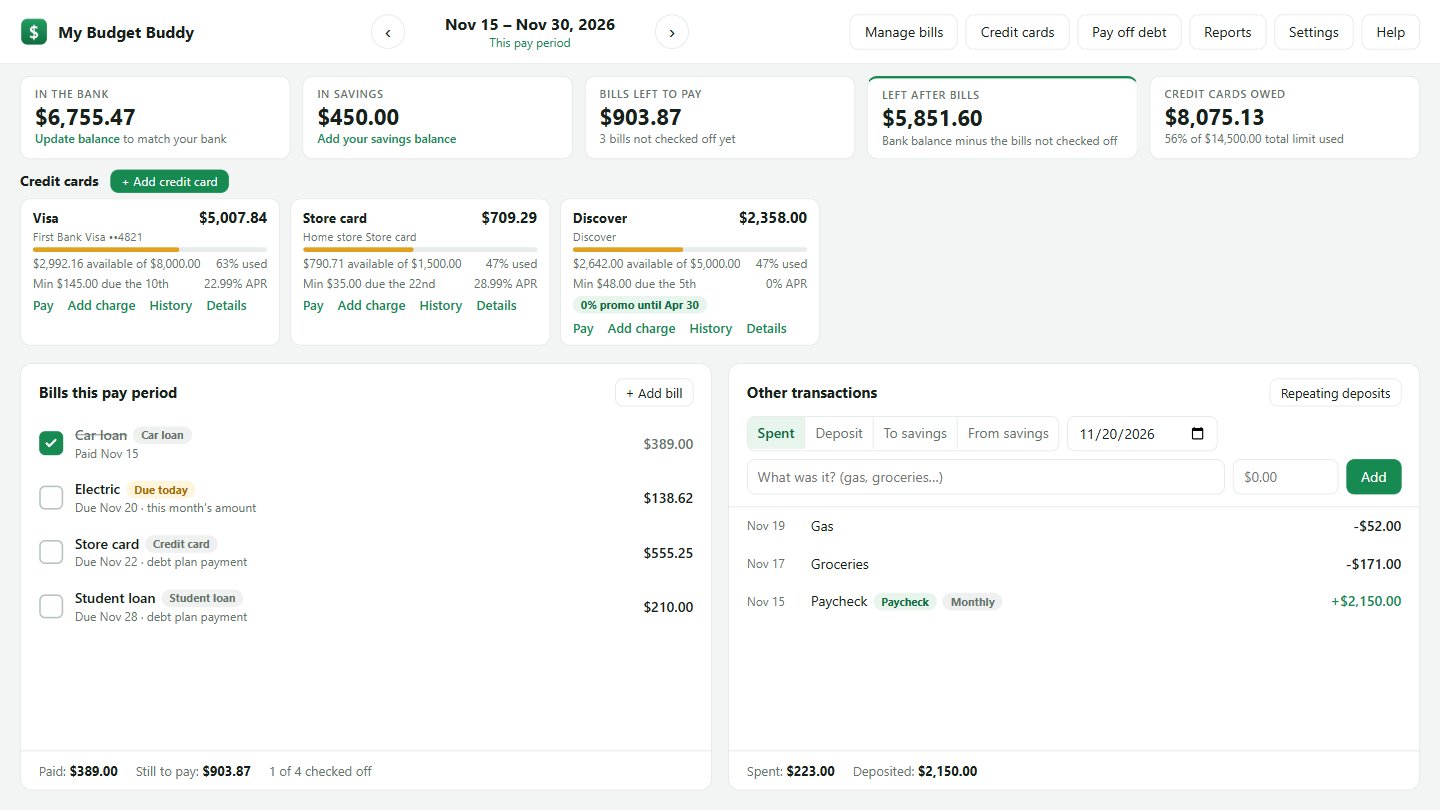
Paid twice a month, every two weeks, weekly or monthly. See this period, look back, or look ahead to plan.
A checklist for every bill
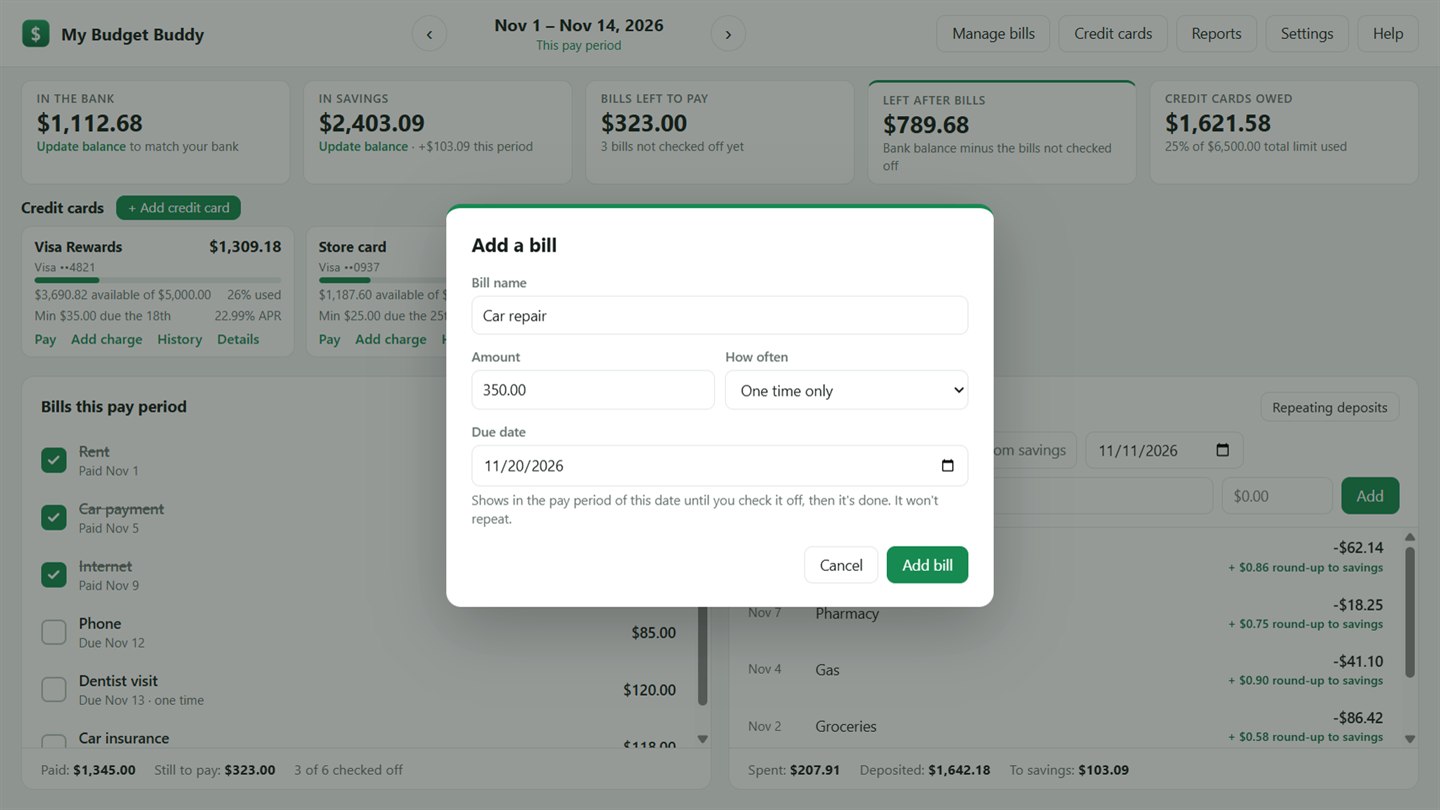
Monthly bills, bills that come out every paycheck, and one-time bills. Check each one off when it's paid. Bills that change, like power, ask for the amount a few days before they're due.
Left after bills
Your bank balance minus the bills not paid yet, so you know what you can spend before the next paycheck.
Credit cards
Balances, limits, interest rates and minimum payments, with each card's payment in your bill checklist on its due day.
Pay off debt
Add your car, student and personal loans, choose an extra amount each month, and compare paying the highest rate first with the smallest balance first: your debt-free date, total interest and a month-by-month plan. Warns when a promo rate ends too soon, and puts the plan's payments in your bill checklist.
Savings and round-ups
Track your savings balance. Transfers and bank round-ups are added automatically.
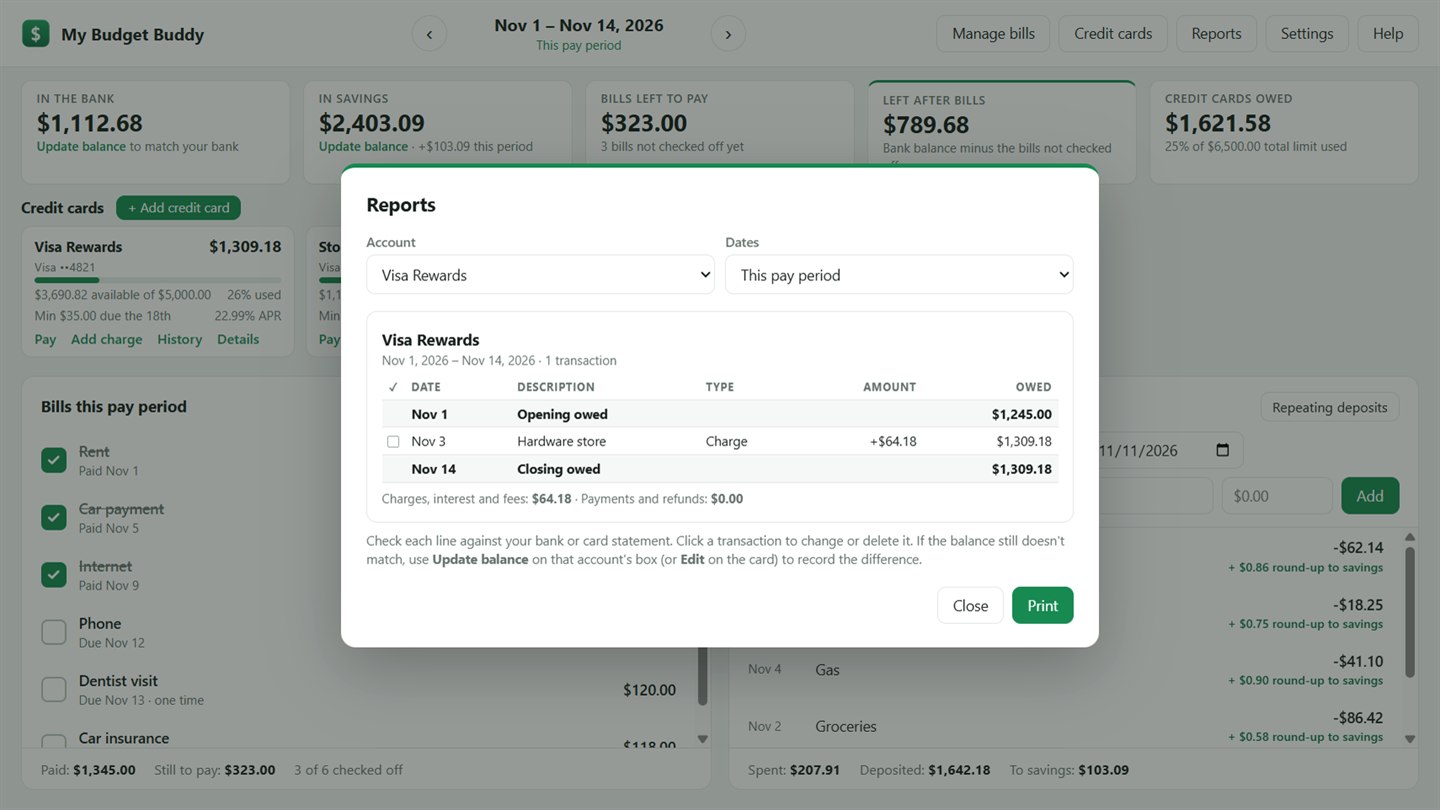
Reports to match your statements
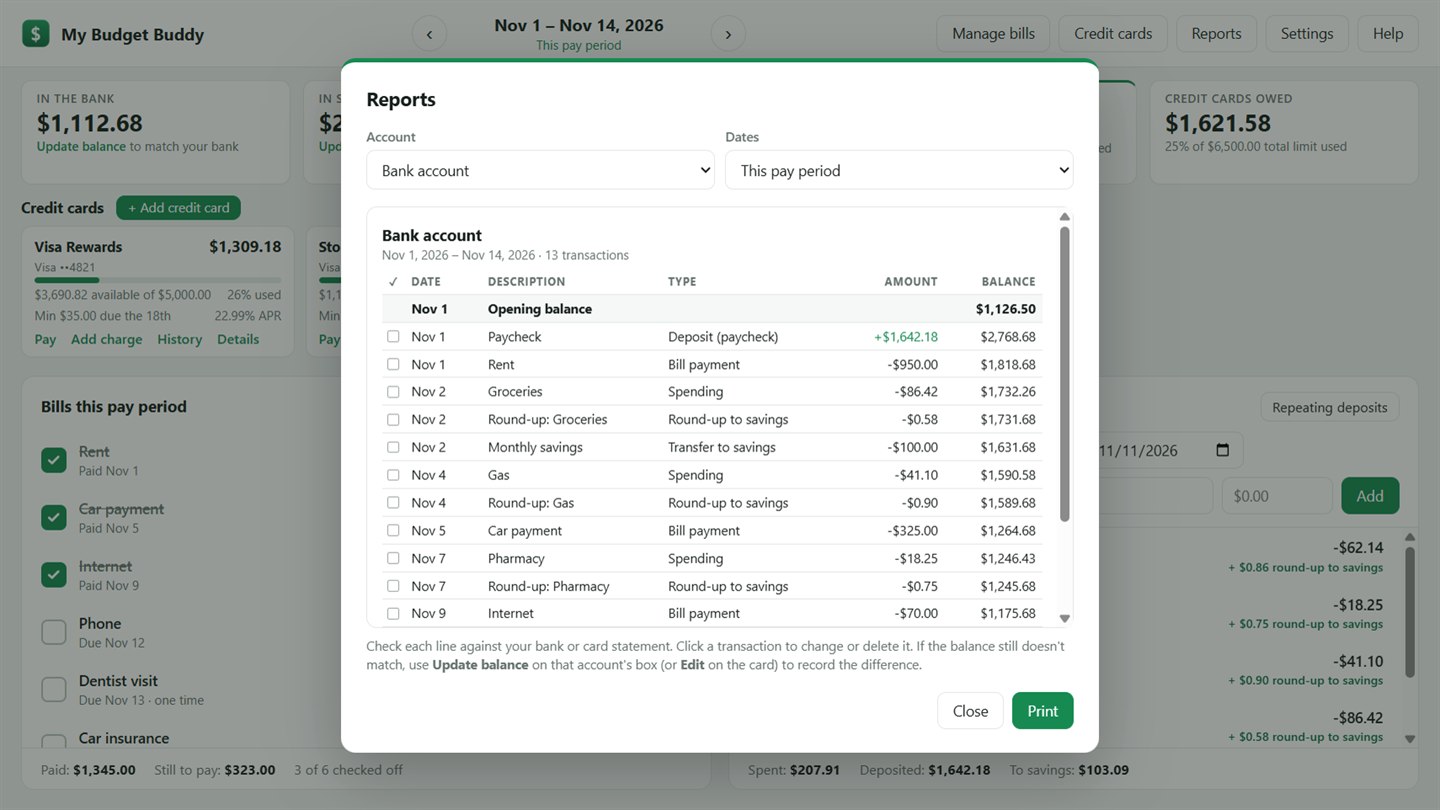
Print the bank account, savings or any card for a pay period, a month or your own dates, with opening, running and closing balances.
Repeating deposits
Paychecks and other regular deposits show up as expected, and you check them off when the money arrives.
Private by design
Your budget stays on your computer. No bank sign-in, no account with us, no ads or tracking. Add a password to encrypt it.
Daily backups
A backup is saved each day and the last 30 are kept, so an earlier copy is always on hand.
Getting it
Install it from the Microsoft Store on Windows 10 or Windows 11. Every household starts with a 30-day free trial. Questions: support@akhtech.org.
Questions people ask
Does it connect to my bank?
No. You enter your balance and transactions yourself, and use Update balance to match your bank whenever you like. My Budget Buddy never asks for bank passwords and never connects to your bank.
Where is my budget kept?
In one file in your Documents folder, with a dated backup beside it each day. Nothing is sent to AKH Technologies. If your Documents folder is backed up to OneDrive, your budget is backed up with it.
Does it tell me how to pay off my debt?
It shows you the math. Pay off debt works out, from the balances, rates and payments you've entered, how long two common approaches would take and how much interest each would cost, compared with paying only the minimums. It assumes no new charges and steady rates, and it isn't financial advice.
Which computers does it run on?
Windows 10 and Windows 11.
How much does it cost?
A 30-day free trial, then $1.99 a month or $19.99 a year through the Microsoft Store.